QR Booking
Print or share a QR code that opens the booking page. A poster, a card, or a shop window sends someone straight to a free time.
Scheduling
Share one link. People pick a time you are actually free. Reminders, routing, and the next step stay with the meeting.
Intro call
30 minutes
Video call · your timezone
Thursday, March 12
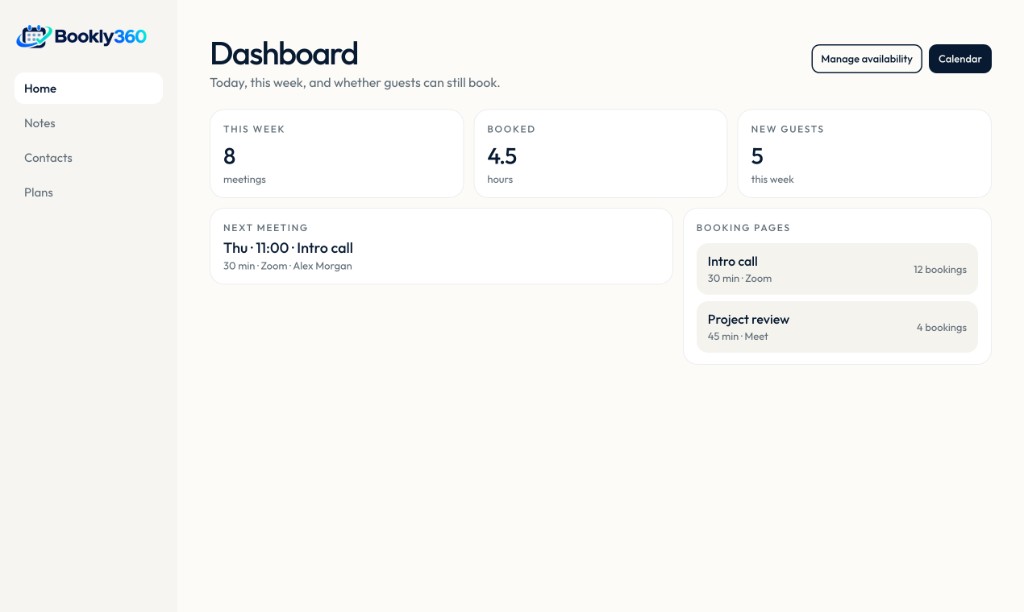
Your week
Meetings, hours, new guests, and the pages people book from, on one screen.
More ways to book
The same hours and booking pages, reached from a scan, a team link, or a recap after the call.
Print or share a QR code that opens the booking page. A poster, a card, or a shop window sends someone straight to a free time.
On Business, a recorder joins Zoom or Meet and leaves the recap with the booking. 30 recordings a month are included. Each extra one is €1.
One public link, then the matching host. Team routing sends the guest to the right teammate, or the next free person when no rule matches. Collective finds a time when everyone required is free.
Answers on a short form send the guest to the right page. Sales, support, or a specialist each keep their own hours.
Who it is for
A paid discovery call, with a buffer before the next client.
Product
Your hours, your meeting types, and a page people can use without asking what works.
When a customer cancels, the next person on the waitlist gets an email automatically.
Connect your calendars, set working hours, and block the time you need for deep work.
Intro calls, consultations, and group sessions each have their own length, questions, and location.
Email and text reminders go out on your schedule. Invitees can reschedule without a thread of messages.
Embed the scheduler on your site. A short form can send a lead to the right person on the team.
Use it in the browser or on your phone, next to the calendar and the tools you already keep open.
Add teammates, set who can book whom, and keep meetings from landing on one person.
After the meeting, a short recap keeps the decisions and the next step in one place.
Workflow
01
Send a link, or drop it on your site. People see only the times you already marked as open.
02
They pick a day and a length. Conflicts on your connected calendars stay hidden.
03
Both of you get the invite, the location, and a reminder before it starts.
04
After the meeting, the next step is already drafted: another time, a note, or a payment link.
Calendars, video, and payment stay attached to the booking.
See how it connects“The booking link replaced a day of email just to find a time.”
Leah Ortiz
Independent consultant
Before and after
The booking collects the questions you need. After the call, a note and a proposed next time are ready to send.
Thursday intro · Alex Morgan
Reminder sent yesterday · 30 minutes · video
Pricing
€0/ month
Google Calendar, plus Zoom or Meet
Get startedMost booked
€9.99/ month
The rest of the integrations
Get started€19.99/ month
Up to 20 people on the team
Get startedNo. They open your link, pick a time, and receive the calendar invite.
Google Calendar and Microsoft Outlook. Busy time on those calendars is kept off your booking page.
Pro includes you and one teammate. Business includes 20 people. Team routing offers the next available person, or a specific teammate when the answers match. A collective event finds a time when everyone required is free.
On Pro and Business you can ask for payment before the meeting is confirmed, or send a link afterward.
Free includes 3 scheduled meetings a month and 1 booking page. Pro includes 30 meetings and 5 pages. Business is unlimited, with 30 notetaker recordings and €1 for each extra recording.
Create the page, connect a calendar, and send the link.